Groups
User groups: creating groups and sharing users between managers of the same group.
User Groups
Groups organise users and managers into teams, for example by branch, area or sales team. The most important use: managers of the same group can work with all users of the group, not only their own.
Open Groups in the menu.
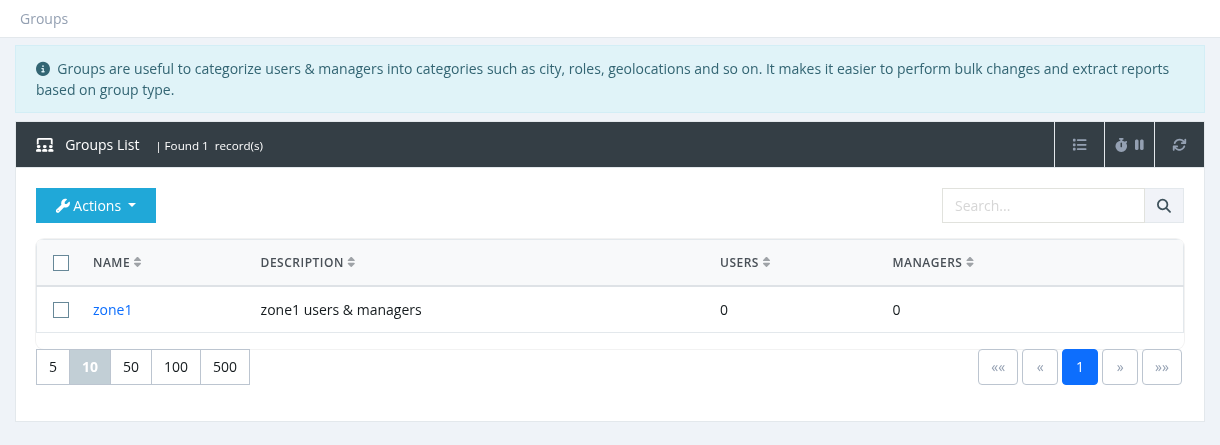
Groups list
Columns: Name (click to edit), Description, Users (number of users in the group) and Managers (number of managers in the group). Search by name or description.
Creating or editing a group
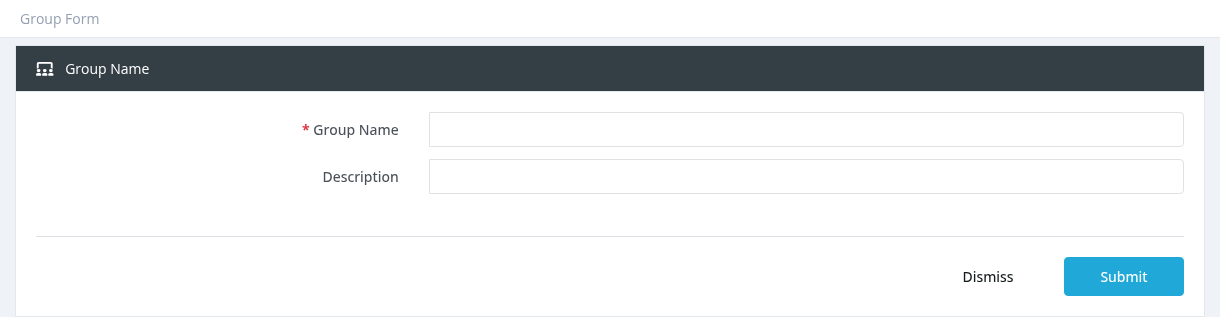
Click Actions → New (or click a group name), enter the Group Name (unique) and an optional Description, and click Submit.
Deleting a group
Select one or more groups and click Actions → Delete, then confirm. Move users and managers to another group first if the group is still in use.
Required permission: Groups - Index (Groups - Create / Update / Delete to change groups)
Using Groups
Putting users and managers in a group
| For | How |
|---|---|
| A user | The Group field in the user form (needs Groups - Assign). Without this permission, new users get their parent manager's group. |
| A manager | Managers → Actions → Assign to Group, optionally also for all sub-managers and their users. New managers created by someone without Groups - Assign get the parent's group. |
| Many users | Tools → Bulk Changes → Set Group. |
What groups do
- Managers with the permission Users - List All Group Users see and manage all users of their group, including users owned by other managers of the same group. Useful for branch staff or support teams.
- Group membership also affects the Activations report, the User Auth Log and dashboard counters for these managers.
- The Users List and the Managers List can be filtered by group, and the Group column can be shown.
Example: a branch team
- Create the group Erbil Branch.
- Assign the branch managers to it with Assign to Group, ticking Propagate Users.
- Give the branch permission group Users - List All Group Users.
- Every manager of the branch can now serve every customer of the branch.
Groups are different from permission groups (what a manager may do, in Settings → permission groups) and from sites (separate brands and domains).