# Extend Service
**Extend Service** adds an **extension package** (extra days, traffic or uptime) on top of the user's subscription **without changing the user's profile**. Typical uses: a free 2-day extension, or extra GB when the quota is used up.
Extension packages are profiles of type **Extension**, created under *Profiles*.
[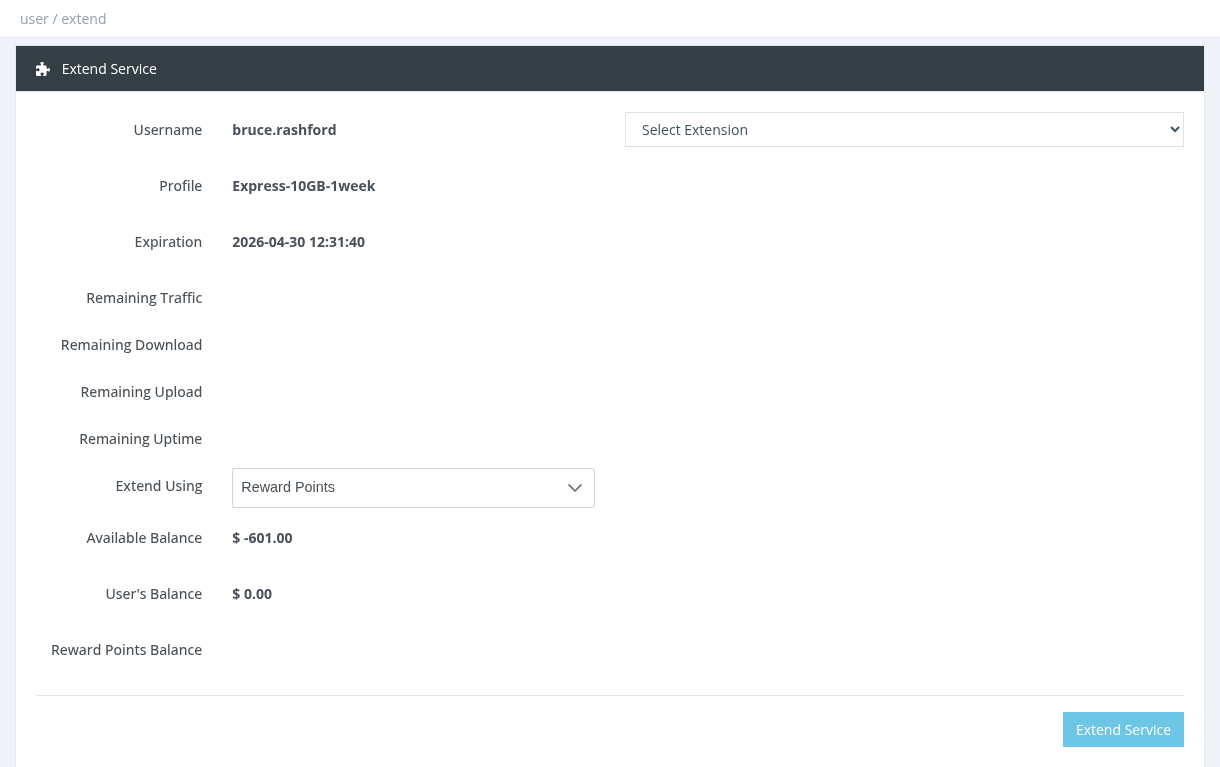](https://help.snono-systems.com/uploads/images/gallery/2026-11/user-extend.png)
## How to extend
1. Select the user and click **Actions → Extend Service**.
2. Choose the package in **Select Extension**. Its description, price and what it adds (+days, +MB, +hours) are shown.
3. Choose the payment method in **Extend Using**.
4. Click **Extend Service**.
When you have more than one payment method, **Extend Using** defaults to **Reward Points**. If the extension doesn't allow reward points you get the error `rsp_invalid_profile_type`. Select **Manager Balance** instead.
## Payment methods
| Method | Description |
|---|
| Manager Balance | Your balance is charged the extension price + VAT. |
| User Balance | The user's wallet pays the extension. |
| Reward Points | Your reward points pay the extension. The extension must have *Allow Activation Via Reward Points* ON and required points greater than 0. |
## Which extensions are listed
Only enabled extension packages that you are allowed to sell, and that are allowed for the user's current profile (in the extension's *Allowed Profiles To Extend*). An extension with no allowed profiles set is available for every profile.
## Free (0-price) and debitable extensions
- A 0-price extension paid from Manager Balance works for managers only if the extension has **Debitable Service** ON. Otherwise the error is *Invalid Profile Price* (system administrators are not limited).
- With **Debitable Service** ON, the extension days are recorded as **Debt Days** and deducted from the user's next activation.
## Expiration and quota
- Active user: the extension days are added to the current expiration. Expired user: they start now.
- Extension traffic is added to the user's quota. If the extension has *Carry Over Remaining Quota* OFF, the user's remaining quota is replaced by the extension quota.
- The user's profile does not change.
An extension never changes the profile. If an expired user was moved to an Expired/FUP profile, either allow the extension for that profile or change the user back to a normal profile first.
*Required permission: Users - Extend Service*