Generating Cards
Open Cards System, click Actions → Generate Cards, choose the Type, fill in the form and click Generate.
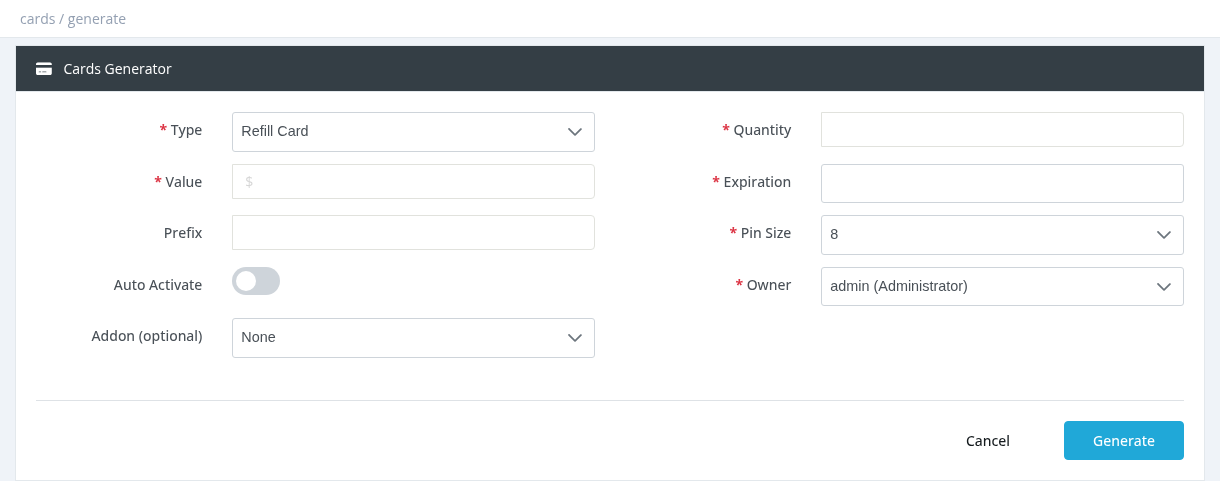
Your balance is charged immediately, and a job is created (New Job Created). The cards are produced in the background; the series appears in the Cards System list when the job is finished.
Refill Card fields
| Field | Description |
|---|---|
| Quantity | Number of cards. |
| Value | Card value. To activate users, it must equal the price of the profile (including VAT) the card is meant for. |
| Expiration | Last date the cards can be used. |
| Prefix | Optional text added to the generated codes. |
| Pin Size | PIN length: 4 to 14 characters (default 8). Longer PINs are harder to guess. |
| Auto Activate / Profile | Link the cards to a profile with the same price. |
| Owner | The manager who owns the cards (you or one of your sub-managers). The cards are still paid by you. |
| Addon (optional) | An addon given to the user together with the activation. |
Prepaid User card fields
| Field | Description |
|---|---|
| Quantity, Value, Expiration, Prefix, Owner | As above. |
| Profile | Required. The package the card user gets on first login. |
| Username Size / Password Size | Length of the generated username (4–12) and password (4–14). |
| Password = Username | Use the username as the password. |
| Use Fixed Password / Fixed Password | Give all cards the same password. |
| MAC Login (Hotspot Only) | Hotspot option for MAC-based login. |
| Simultaneous Sessions | How many devices can use one card at the same time (default 1). |
Jobs Queue
Actions → Jobs Queue lists generation jobs with type, owner, creator, quantity, card value, profile, series and Status: Pending, Running, Finished or Stopped.
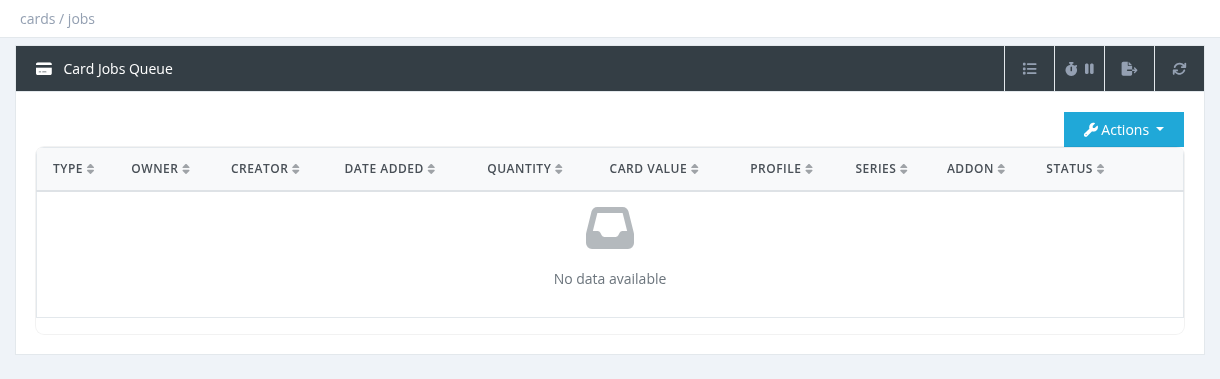
Jobs are processed by the Cards Generator and Cards Series Number Generator services. If a job stays Pending, check that both are running in Tools → System Services.
Errors
- Insufficient Balance: your balance doesn't cover the cards.
- access denied: the selected owner is not you or one of your sub-managers.
Required permission: Cards - Generate Refill Cards