Issuing an Invoice
Use Billing → Issue Invoice to create an invoice for a subscriber, for example for installation, equipment or a service. You can also open it from the user's Overview with Issue Invoice; the user is then already selected.
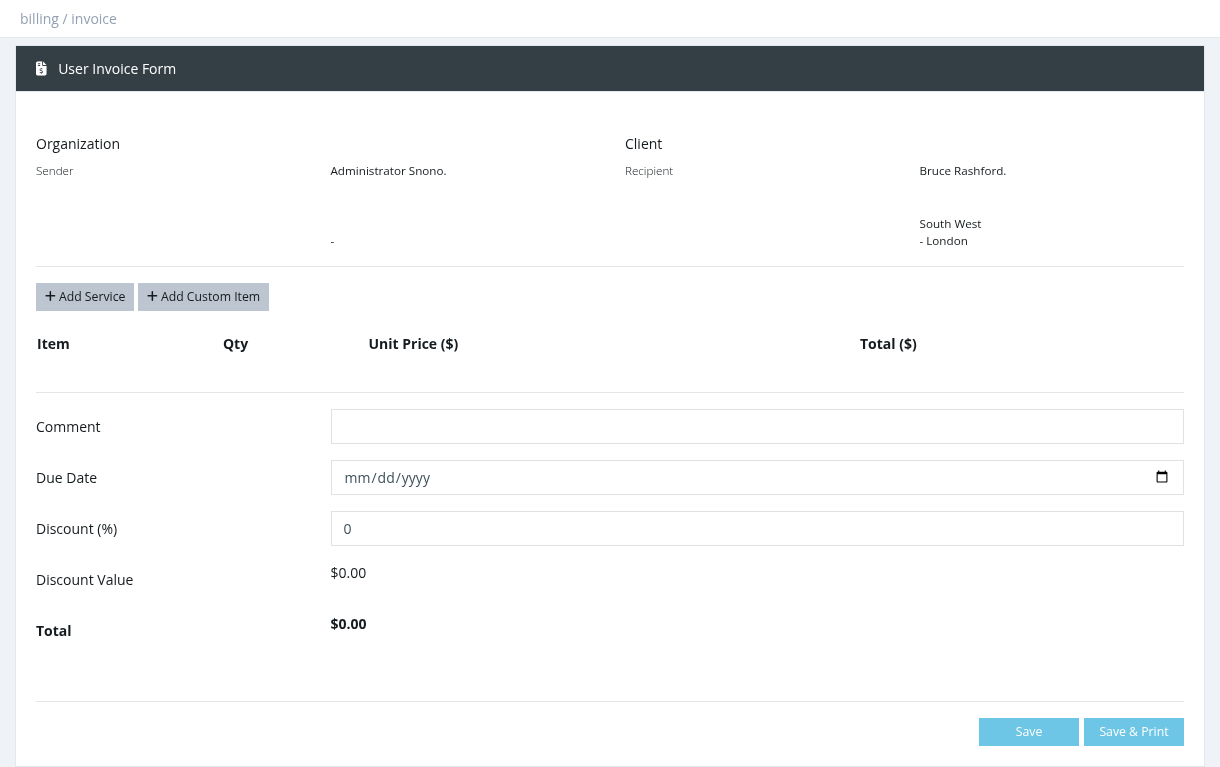
How to issue an invoice
- In select client, type at least 2 characters of the username or name and select the subscriber. The sender (you) and the recipient (the subscriber) are shown at the top.
- Add lines:
- Add Service: choose a profile. The price is filled in from the subscriber price list (without VAT).
- Add Custom Item: type any item name, quantity and unit price, for example "Router TP-Link".
- Optionally set the Due Date (default: today) and a Discount (%). The Discount Value and Total are calculated.
- Click Save, or Save & Print to also download the PDF.
- A new manual invoice is unpaid. When the subscriber pays, use Pay Invoice in User Invoices.
- Issuing an invoice doesn't charge or credit any balance and doesn't activate the subscriber.
- To change an invoice, click its number in User Invoices, edit the lines and save.
Invoices from activation
When activating a user with Manager Balance, a Confirm Activation window offers Issue an invoice for the user (unticked by default, needs the Billing permission). The invoice includes VAT, is marked paid when Money Collected is ON, and the PDF is downloaded automatically. If email notifications are enabled, it is also attached to the activation email.
Required permission: Billing