A withdrawal does not reduce the manager's debt. Use **Pay Debt** for that.
*Required permission: Managers - Withdraw Money* ## Debts and Pay Debt A manager has a **debt** when someone deposited to them with **Loan** ticked. Debts appear in the **Debts** column of the list and as **Outstanding Debts** on the Overview. When the manager pays you (for example in cash), click **Actions → Pay Debt** and enter the amount received. The window shows the manager's total debt and the part owed to you. Only the manager who gave the loan can record the payment.Pay Debt only records the payment. It doesn't move any balance.
## Debt Limit The **Debt Limit** (set by a system administrator in the manager form) lets a manager's balance go below zero, down to minus the limit. It is not the same as Debts: it is credit given by the system, not a loan from a specific manager. ## How activations are charged - The manager pays **their price** for the profile (from the profile price list, or the profile's base price) plus VAT. - Each parent manager earns a **commission**: the difference between their sub-manager's price and their own price. Example: admin price 10, reseller A price 12, sub-reseller B price 15. When B activates a user, B pays 15, A earns 3 and the admin receives 12. - Prices for sub-managers are set in *Profiles → Pricing List*. A sub-manager's price can't be lower than the parent's. - If the manager has a **Discount Rate**, the discounted amount goes to the admin and no commissions are paid. ## Self Deposit [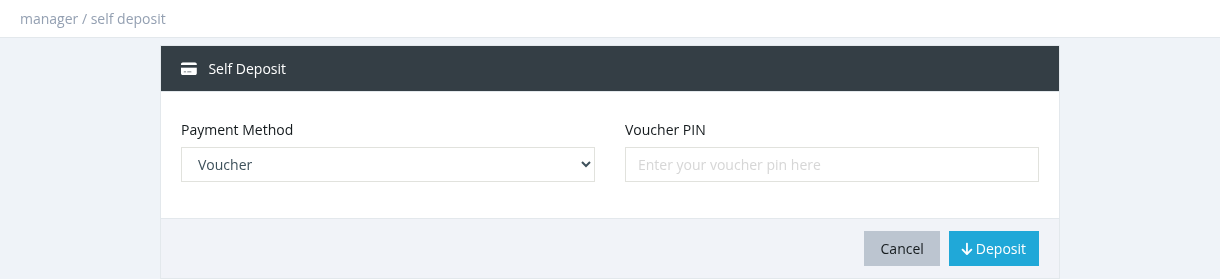](https://help.snono-systems.com/uploads/images/gallery/2026-11/self-deposit.png) Managers with *Managers - Self Deposit* can top up their own balance from the account menu (top right) → **Self Deposit**. Choose a **Payment Method**: - **Online payment gateways** (for example ZainCash, Switch, HyperPay): enter the **Deposit Amount** and complete the payment. The balance is added after the payment succeeds. - **Voucher**: enter the **Voucher PIN** of an unused recharge card. Its value is added to your balance. Only gateways enabled for the admin panel are listed (*Settings → Payment Gateways*). If none are enabled you see *No Payment Methods Available*.