
Creating a Manager
To add a reseller or staff account, open Managers, click Actions → New, fill in the form and click Submit.
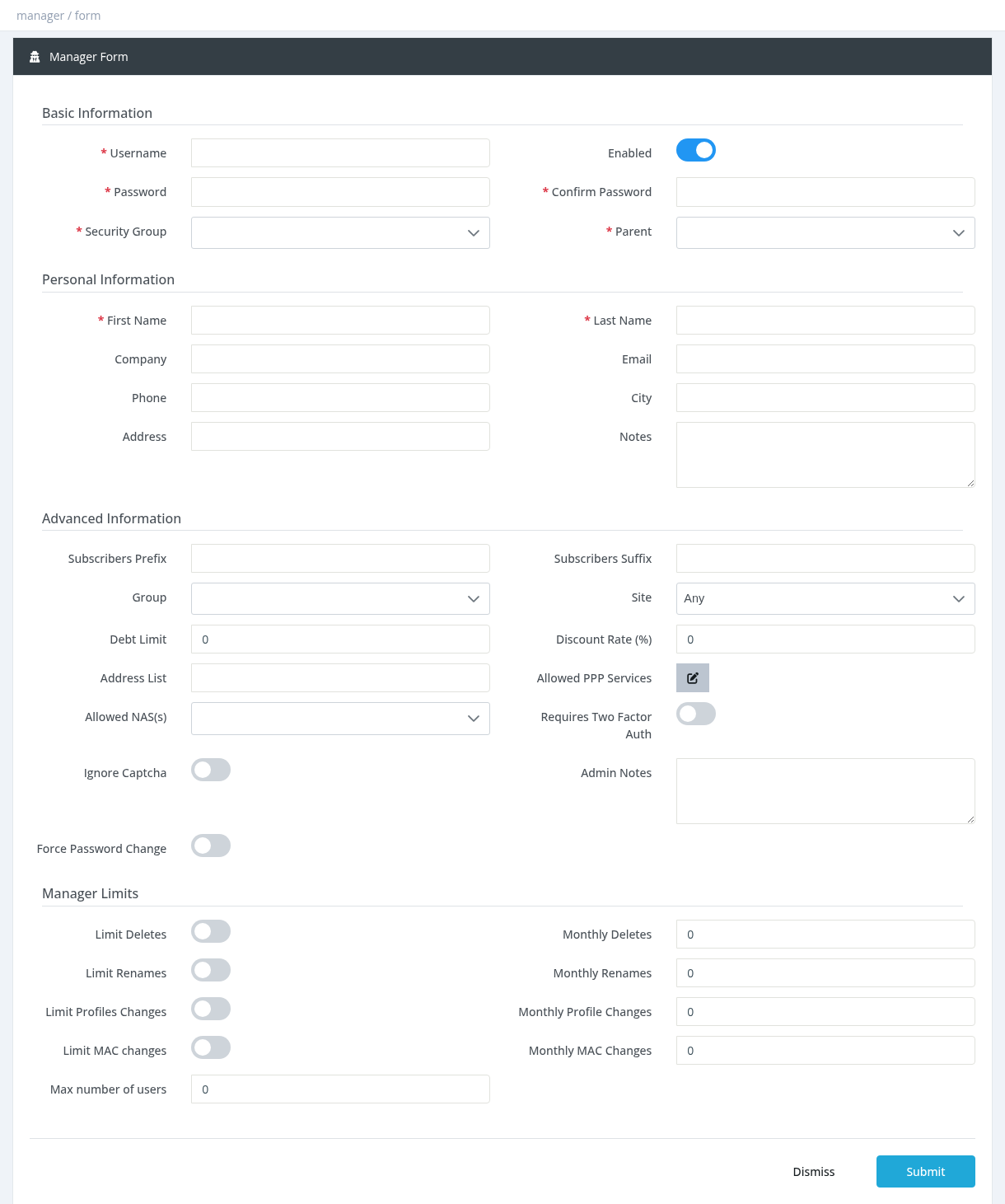
A new manager starts with a balance of 0. Make a deposit before they can activate subscribers (see Manager Balance: Deposit, Withdrawal and Pay Debt).
Basic Information
Username
Required and unique, up to 30 characters. Allowed: letters, digits and . @ _ (no spaces or hyphens). It can't be changed in this form later; use Rename.
Enabled
ON by default. A disabled manager can't log in.
Password / Confirm Password
Required when creating. If Enforce Manager Password Strength is set in Settings → General Settings, the password must meet that rule (for example at least 6 characters with upper case, lower case and numbers).
Security Group
Required. The permission group that decides what this manager can see and do. Groups are created under Settings → Permission Groups.
A manager who can create managers can give a sub-manager any security group that is not restricted. To keep powerful groups (such as administrator groups) for selected managers only, restrict them in Permission Groups.
Parent
Required. The manager this account belongs to. You can choose yourself or any of your sub-managers. There is no limit on the number of sub-managers or levels.
Personal Information
First Name and Last Name are required. Company, Email, Phone, City, Address and Notes are optional. The email must be in lower case.
Advanced Information and Limits
System administrators see more fields: subscriber prefix/suffix, debt limit, discount rate, allowed NAS, two-factor authentication and monthly limits. See Manager Advanced Settings and Limits.
Editing a manager
Click the manager's username (or Actions → Edit) and open the Edit tab.
- The username is locked; use Rename.
- Leave Password empty to keep the current password.
- You can't edit your own account here, or a manager above you in the tree.
- A manager can't be moved under one of its own sub-managers.
Required permission: Managers - Create (to edit: Managers - Edit / Update)