
Dashboard Manager and Widget Factory
The Dashboard is the first page after login. You can use the built-in Professional Dashboard, or design your own dashboards with widgets and assign them to permission groups.
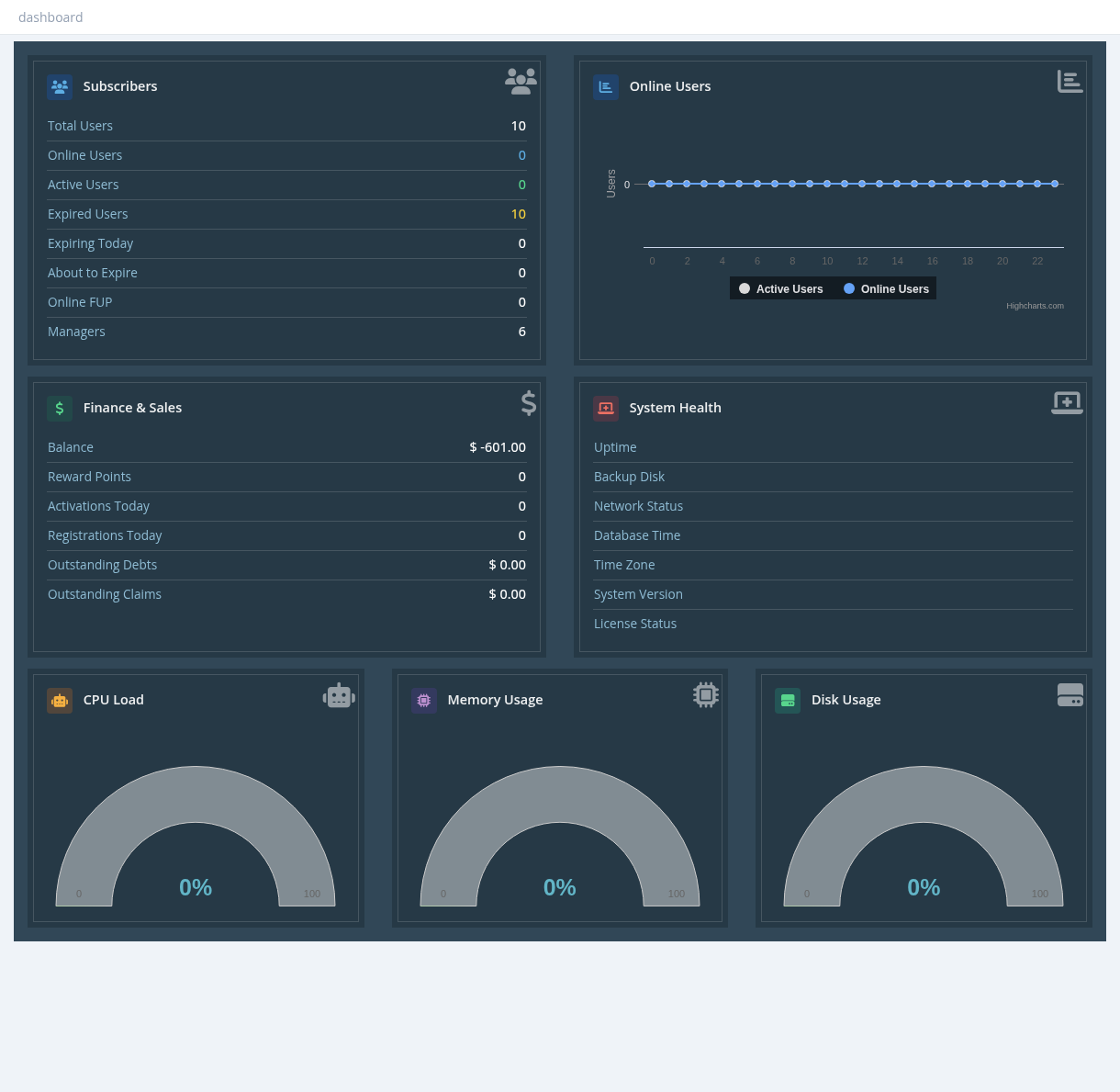
Professional Dashboard
Shows subscribers (total, online, active, expired, expiring today, about to expire, online FUP, managers), an online users chart for the last 24 hours, finance (balance, reward points, activations and registrations today, debts and claims), system health (uptime, backup disk, network, time, version, license) and CPU, memory and disk gauges.
Widget Factory
Tools → Widget Factory creates the tiles (widgets) used on custom dashboards. Click +, enter a widget name, then set:
| Field | Description |
|---|---|
| Title / Description | Text on the tile. |
| Type | Type1: a counter tile. |
| Color, Icon | Tile colour and icon. |
| Width | 1 to 12 columns (12 = full row, 3 = a quarter). |
| Data Source | Internal: choose a value from the list below. External: a URL; the tile shows the text returned by that URL. |
| Refresh Interval (sec) | How often the value is reloaded (0 = only when the page opens). |
The preview on the right shows the result. Click Save.
Internal data sources
| Source | Shows |
|---|---|
| wd_users_count, wd_users_active_count, wd_users_expired_count | Total, active and expired users |
| wd_users_online, wd_fup_online | Online users, and online users on FUP |
| wd_users_expiring_today, wd_users_expiring_in_3_days | Users expiring today, and in the next days |
| wd_managers_count | Number of sub-managers |
| wd_balance, wd_reward_points | Your balance and reward points |
| wd_outstanding_debts, wd_outstanding_claims | What you owe other managers, and what they owe you |
| wd_version, wd_system_uptime, wd_system_time | Version, uptime and server time |
| wd_system_used_memory, wd_system_used_disk | Memory and disk usage (%) |
| wd_ping_snono, wd_ping_google, wd_ping_dns | Internet connectivity (ping) |
User counts show only the users the viewing manager is allowed to see.
Required permission: Dashboard - Widgets Factory
Dashboard Manager
Tools → Dashboard Manager designs dashboards:
- Click + and enter a dashboard name.
- Click Add Row, then drag widgets from the list on the right into the row. A row holds 12 columns; if a widget doesn't fit you see Row is full.
- Click a widget in the designer to remove it. Delete Row appears on empty rows.
- Click the save icon.
The widget list needs Dashboard - Widgets Factory as well.
Required permission: Dashboard - Manage
Assigning a dashboard
Dashboards are assigned per permission group: in Settings → Permission Groups, use Set Dashboard... on the group and choose the dashboard (or Professional Dashboard). All managers in that group see it.