System Maintenance
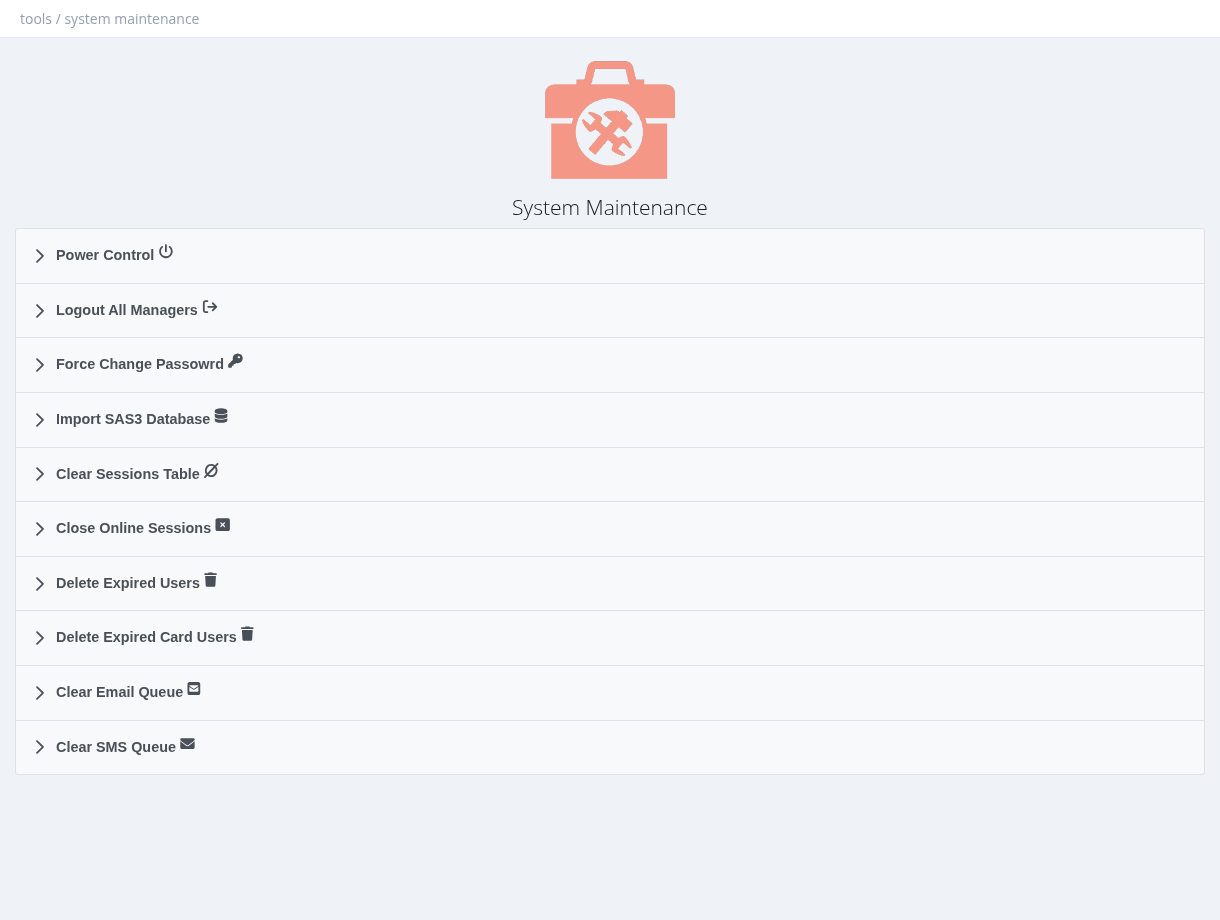
Tools → Maintenance contains server-wide maintenance actions. Each action asks for confirmation and can't be undone.
Section
What it does
Power Control
Reboot or
Shutdown the server. After a shutdown, the server must be started again on site or from the hosting console.
Logout All Managers
Ends all panel sessions, including yours. Everyone must log in again.
Force Change Password
All managers (except the
admin account) must choose a new password the next time they open the panel.
Import SAS3 Database
Opens the migration wizard. See
Migrating from SAS3.
Clear Sessions Table
Deletes
all session history. Traffic counters and quotas are not affected. Online users reappear after the routers' next interim updates. Use it only when the system is very slow because of a huge session table.
Close Online Sessions
Marks all open sessions as closed in SAS Radius, without disconnecting anyone on the routers. Users really online reappear at the next interim update. Use it to clear stuck sessions (for example false "exceeded max sessions").
Delete Expired Users
Deletes expired users (on profiles with Limit Expiration) to stay below your license limit. Users with a balance are skipped. With many expired users, repeat until none are left.
Delete Expired Card Users
Deletes expired users created from prepaid login cards.
Clear Email Queue
Deletes emails waiting to be sent.
Clear SMS Queue
Deletes SMS messages waiting to be sent.
Create and download a backup before deleting users or clearing sessions.
Required permission: Managers - System Administrator