
The Dashboard
The Dashboard is the first page after login. It gives a quick overview of your subscribers, money and system. Which dashboard you see depends on your permission group: the built-in Professional Dashboard or a custom dashboard (see Custom Dashboards).
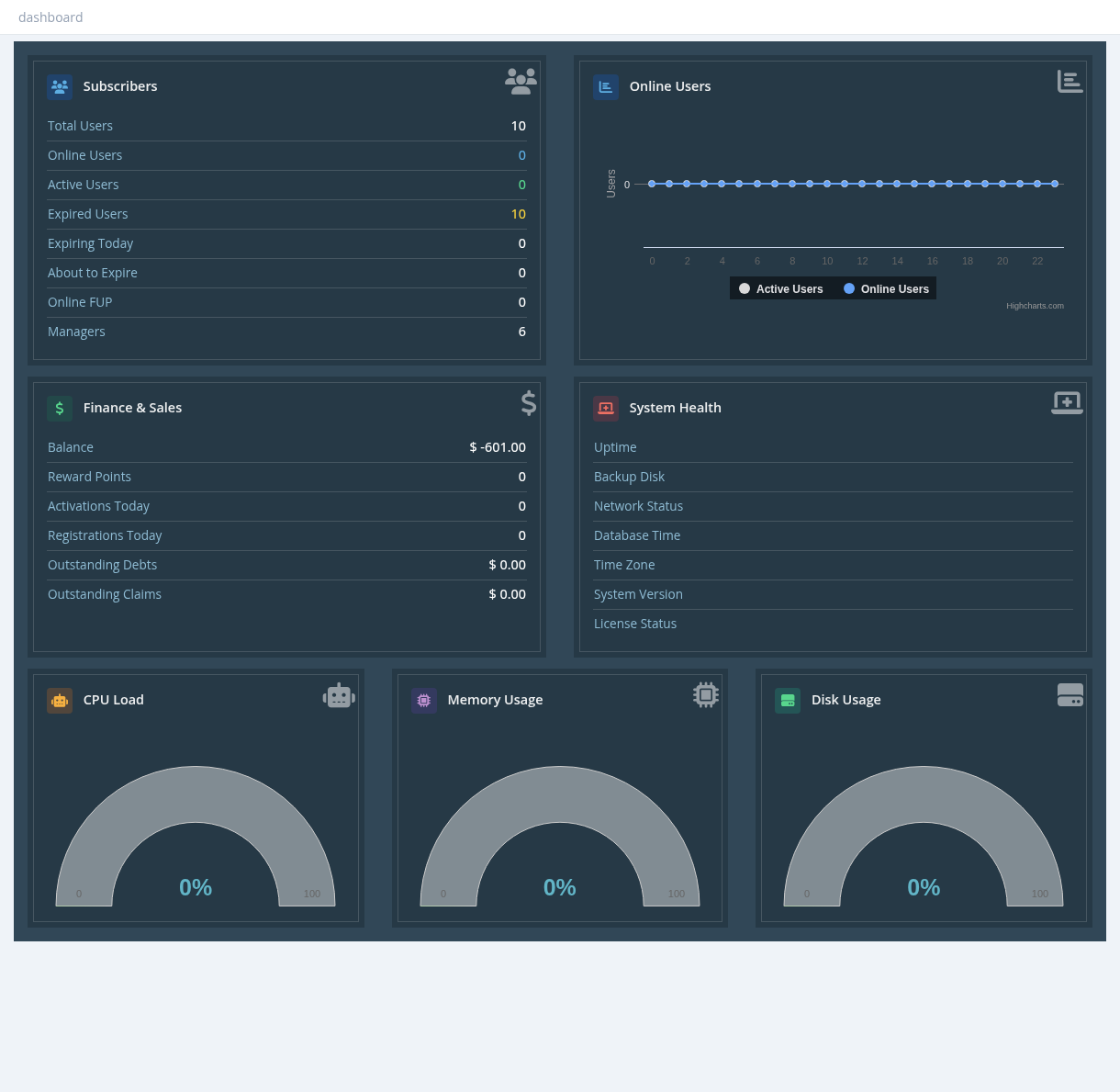
Professional Dashboard
| Box | Shows |
|---|---|
| Subscribers | Total Users, Online Users, Active Users, Expired Users, Expiring Today, About to Expire (next days), Online FUP (online users on a reduced profile), Managers. Numbers include only the users you are allowed to see. |
| Online Users | Chart of active and online users over the last 24 hours. |
| Finance & Sales | Your Balance and Reward Points, Activations Today, Registrations Today, Outstanding Debts (what you owe other managers) and Outstanding Claims (what other managers owe you). |
| System Health | Uptime, Backup Disk (attached or not, and usage), Network Status (internet and DNS), Database Time, Time Zone, System Version, License Status. |
| CPU Load, Memory Usage, Disk Usage | Live server load gauges. |
The boxes refresh every minute; the gauges every few seconds.
Alerts
- Your license is about to expire soon: renew the license (Settings → license).
- You have exceeded the number of allowed users (system administrators): delete unused users or upgrade the license.
- A message from your administrator, set in Settings → notifications (dashboard notification).
- A New Software Update Available banner for system administrators.
What to check every day
- Network Status is Internet Reachable and License Status is active.
- Backup Disk is attached and not full.
- Disk Usage stays below about 80%.
- Online Users matches what your routers show.