
Usage Notifications
Usage notifications warn subscribers when they have used a certain percentage of their traffic quota, for example "You have used 80% of your quota". Open Profiles → usage notifications.
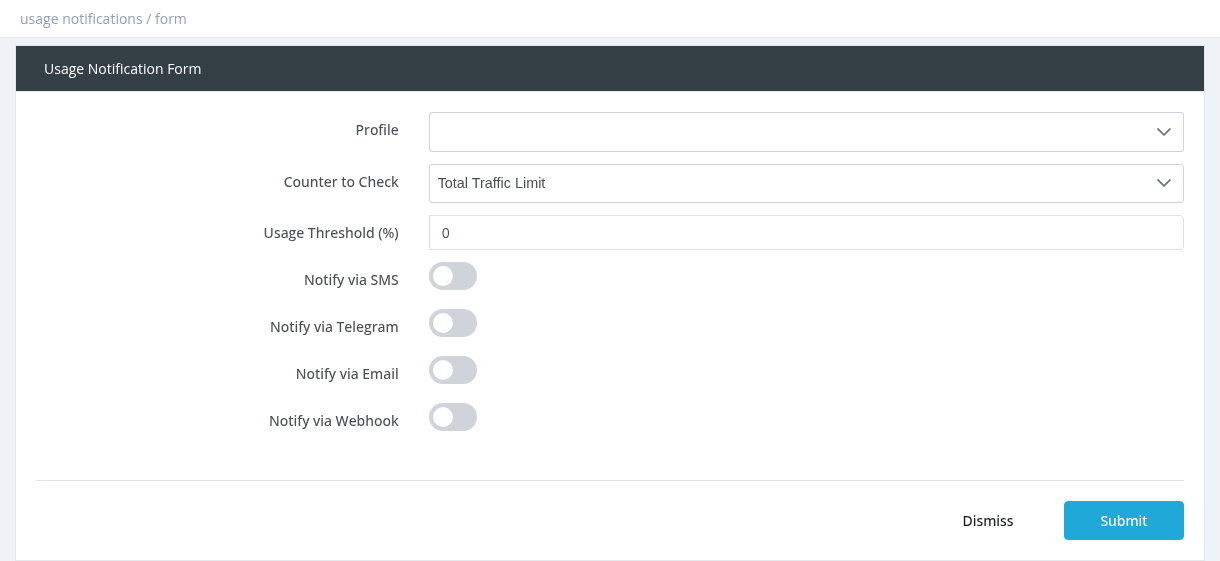
Fields
Good to know
- Notifications work only for profiles with a traffic limit, and are checked for online users.
- Each user receives each notification once per subscription period. It can be sent again after the next activation.
- SMS and Telegram messages are sent exactly as written (no placeholders).
- Create several notifications for one profile for several levels, for example 80% and 95%. Use Copy to duplicate one with a new threshold.
- SMS, email and Telegram must be configured in Settings.
Required permission: Managers - System Administrator