
User Auth Log and Login Errors
Log → User Auth Log ("Users Authentication Log") shows the latest login attempts of your users and the answer of SAS Radius. It is the first place to look when a user says "I can't connect".
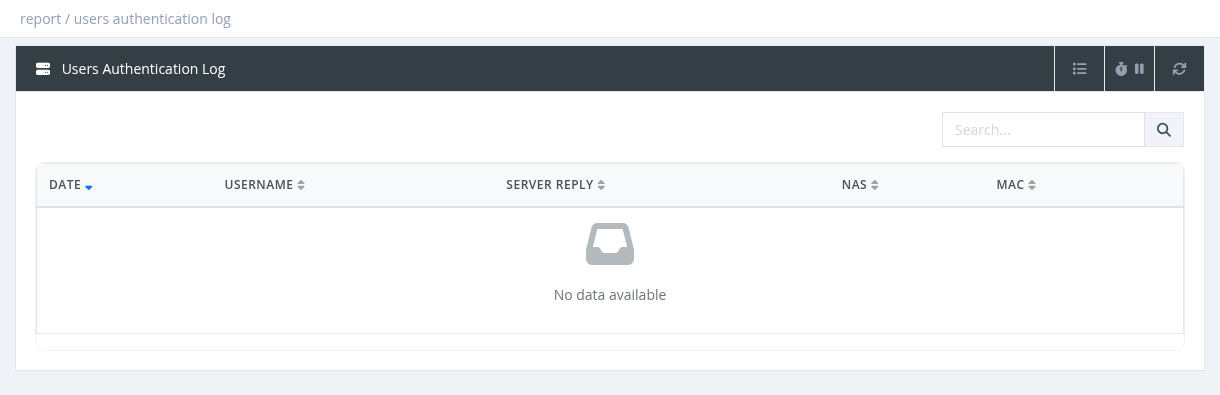
- Columns: Date, Username, Server Reply, NAS, MAC.
- The Search box finds a username.
- The log keeps only the most recent attempts (on busy servers, only the last minutes). For older events use the Sessions Report or the RADIUS Log.
Server replies and how to fix them
Depending on the case, the reply is shown as a code (for example over_expiration) or as text (for example user expired).
| Reply | Meaning | Fix |
|---|---|---|
| Access-Accept / user authenticated successfully | Login accepted. | – |
| Access-Reject (without another reason) | Wrong password, or the username doesn't exist. | Check the password and username on the user's router. If username case sensitivity is enabled in Settings, check upper/lower case. |
| user_not_found / user not found | No user with this username. | Create the user or correct the username. |
| nas_not_found / nas not found | The router is not in the NAS list. | Add the NAS with the correct IP address. |
| user_disabled / user disabled | The user is disabled. | Enable the user. |
| profile disabled | The user's profile is disabled. | Enable the profile or change the user's profile. |
| over_expiration / user expired | The subscription has expired. | Activate or extend the user. To let expired users connect with limited access, see Setting Up Expired Users (Profiles chapter). |
| user_exceeded_download_limit / upload / traffic / uptime | The traffic or time quota is used up. | Renew, add traffic, sell an extension, or set a Quota Next Profile (FUP). |
| user_exceeded_daily_… / user exceeded allowed daily traffic limit | The daily limit is reached. | Wait until tomorrow, use Reset Traffic, or set a Daily Limit Next Profile. |
| exceeded_max_sessions / User exceeded max login sessions | The user already has as many open sessions as allowed. Often an old session that was not closed (router reboot, lost accounting). | Wait for the idle timeout or disconnect the old session; check that accounting works on the router; raise Simultaneous Sessions if needed. |
| invalid_mac / trying to log using invalid MAC | MAC Lock is on and the device MAC isn't allowed (often a new router). | Add the new MAC to Allowed MACs or turn off MAC Lock. |
| manager_nas_restriction | The user's manager is not allowed on this router (Allowed NAS(s)). | Add the NAS to the manager's Allowed NAS(s). |
| invalid_ppp_service | The PPPoE service name isn't in the manager's Allowed PPP Services. | Add the exact service name. |
| invalid_site_ppp_service | The PPPoE service isn't allowed for the user's site. | Fix the site's allowed services (watch for extra spaces). |
| ppp service required / hotspot service required | The profile allows only PPP, or only Hotspot. | Change the profile's Allowed Services, or connect with the right service. |
| user_overdue_invoices / User has overdue invoices | Postpaid user with an unpaid invoice past the grace period. | Pay the invoice, or check the Postpaid & Billing Settings. |
| Exceeded license users limit | More users than your license allows. | Delete unused users or upgrade the license. |
| license inactive | The license is not active. | Check Settings → License and contact Snono support. |
Managers see the attempts of their own users. Attempts with unknown usernames are visible to system administrators.
Required permission: Report - Auth Log (Dialup)