
Activations Reports
Activations
Reports → Activations lists every activation and extension: who renewed which user, on which profile, at what cost and price, and how it was paid.
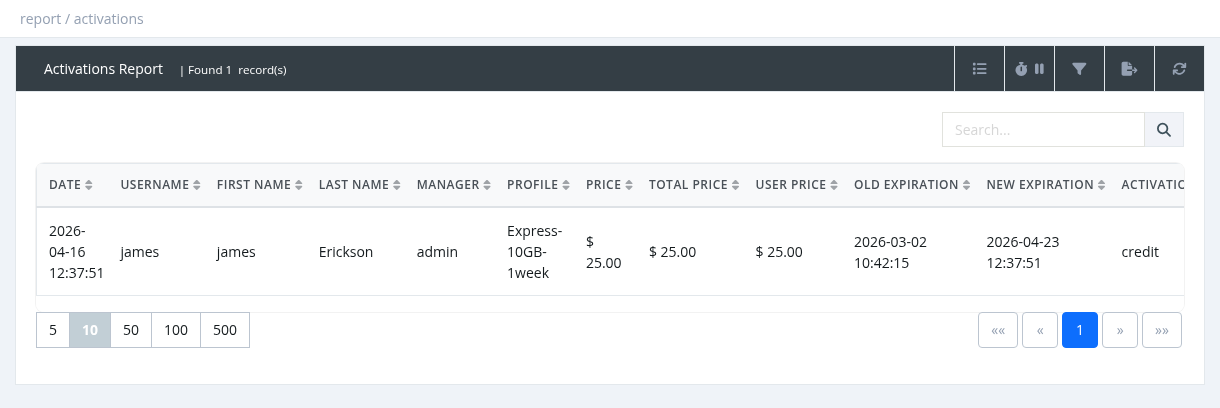
| Column | Description |
|---|---|
| Date, Username, First / Last Name | When and for which user. |
| Manager | The manager the activation is booked to. |
| Profile | The profile or extension. |
| Price | The manager's cost, without VAT. |
| Total Price | Price + VAT. |
| User Price | The price charged to the subscriber. |
| Old / New Expiration | Expiration before and after. |
| Activation Method | How it was paid (see below). |
| Acc. Count | Total number of activations of this user. |
| Status | OK, or CANCELED (highlighted) if it was refunded with Cancel Service. |
| Addon, Tax, Comment, PIN, Card Owner | Hidden by default. |
Activation Method values
| Value | Filter name | Meaning |
|---|---|---|
| credit | Manager Balance | Paid from a manager's balance in the panel (also extensions, addons and user-portal extensions). |
| user_credit | User Balance | The subscriber renewed in the user portal from their balance or with a card. |
| voucher | Prepaid Card | Activated in the panel with a refill card PIN. |
| reward_points | Reward Points | Paid with reward points (price 0). |
| card_user | Prepaid User | First login of a prepaid login card. |
Filters
Manager (and Sub-Managers), Profile, Group, Activation Method, From Date / To Date. The Search box finds a username, or an exact card PIN. For an exact period, use the date filter without the search box.
Exports contain all matching rows with extra columns (parent, contract ID, group, national ID, card, transaction ID…). Cancelled activations stay in the list, marked CANCELED.
Required permission: Report - Activations
Activation Statistics
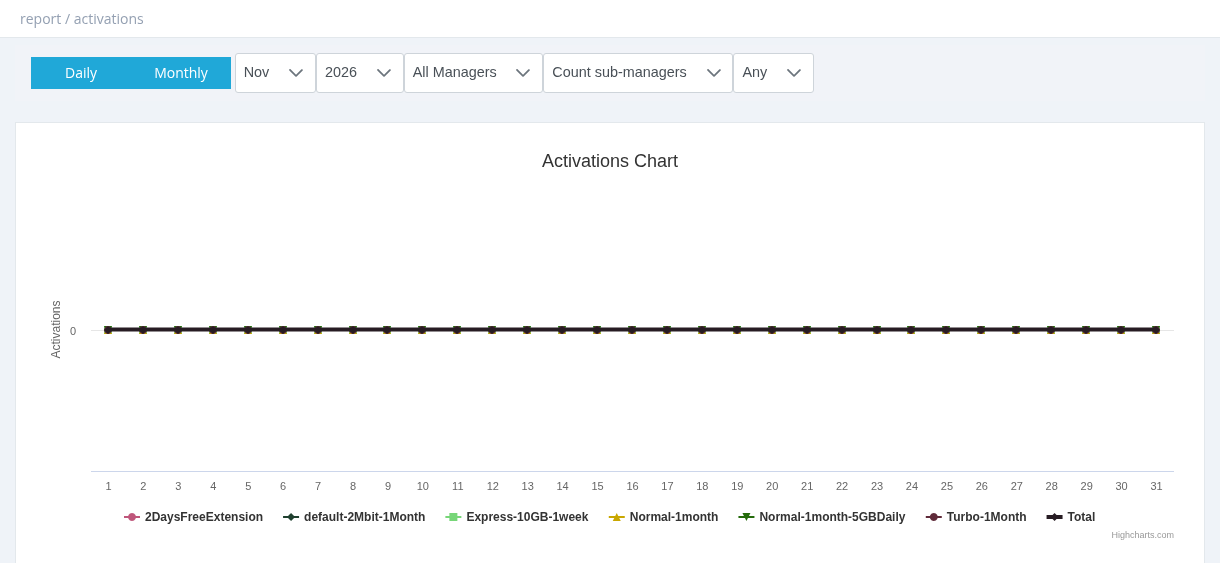
A chart with the number of activations per profile, by day of a month (Daily) or by month of a year (Monthly), plus a Total line. Choose the month or year, the manager, whether to count sub-managers, and the activation method. Use it to see which packages sell best and how renewals develop.
Required permission: Report - Activations