
Adding and Editing a NAS
To add a router, open NAS, click Actions → New, fill in the form and click Submit. To change a NAS, click its name in the NAS List.
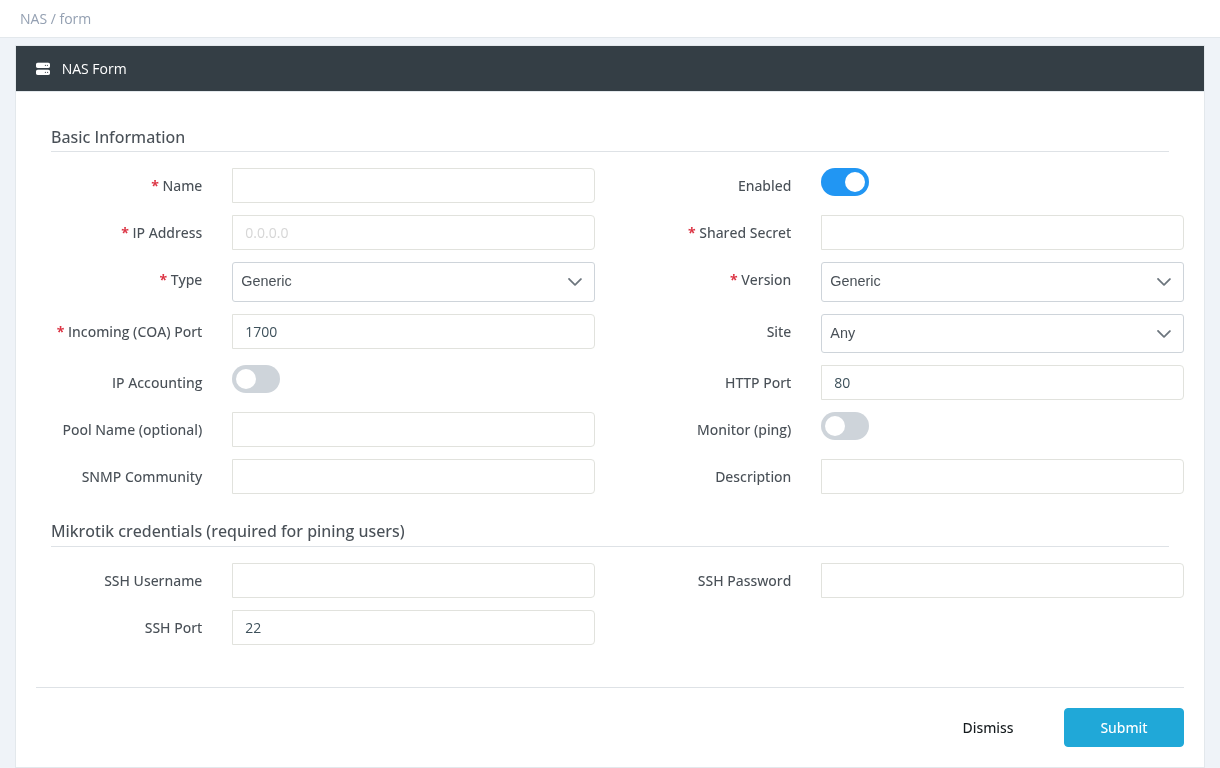
The new NAS works a few seconds after saving, once the RADIUS service has restarted. Then configure the router itself; see Connecting a MikroTik Router.
Basic Information
Name
Required and unique. A name to recognise the router, for example Tower-1.
Enabled
ON by default.
IP Address
Required and unique. The IPv4 address the router sends RADIUS packets from. If the router connects to SAS Radius over a VPN (L2TP, SSTP…), use the router's tunnel IP. If the address is wrong, SAS Radius ignores all requests from the router.
Shared Secret
Required. A password shared by SAS Radius and the router. It must be exactly the same on both sides. Only letters, digits and underscore (_) are allowed.
Type
Required. Select the router vendor: Generic, Mikrotik, Cisco, UBNT Access Point, Ubiquiti EdgeRouter, Nokia, VAS Experts, netElastic, Huawei, RtBrick, BNGSOFT. SAS Radius uses the type to send the right attributes (speed, pool, disconnect format) to the router.
Version
Required. Generic, Mikrotik 6.36 or higher, Mikrotik 6.35 or lower or Cisco ASR 9xxx. For current MikroTik RouterOS versions, choose Mikrotik 6.36 or higher.
Incoming (COA) Port
Required. The UDP port on the router where SAS Radius sends disconnect and speed-change (CoA) requests. It must match the router's RADIUS incoming port. The form default is 1700; the MikroTik default is 3799. Use the same number on both sides. See Disconnect and CoA.
Site
Optional. Limits the NAS to managers of one site (needs Settings - Sites Management).
IP Accounting / HTTP Port
Turn on IP Accounting to collect per-IP traffic from a MikroTik (used for Free Zone traffic). IP Accounting must also be enabled on the router, and HTTP Port must be the router's web port (default 80).
Pool Name (optional)
An IP pool name for all users of this NAS.
Pool Name overrides the pool set in the profiles for every user on this router, including the expired pool. Leave it empty unless you really want one pool for everyone.
Monitor (ping)
When ON, SAS Radius pings the router regularly and shows the result in the RTT and Packet Loss columns.
SNMP Community
The router's SNMP community name (for example public). Needed for Live Traffic in Online Users. SNMP must be enabled on the router.
Description
Optional notes.
Mikrotik credentials (required for pinging users)
SSH Username, SSH Password and SSH Port (default 22) of the MikroTik. SAS Radius logs in over SSH to run Ping on a user from the Online Users page. Leave empty if you don't use it. Use a router user with limited rights.
Changing a NAS IP address
If you change a router's IP address, make sure the router sends only the new address. If the same sessions arrive with two different addresses, users can appear twice and be disconnected as double logins.
Required permission: NAS - Create (also needed to edit a NAS)