
Email Settings
Settings → email sets the mail server SAS Radius uses to send emails (activation, registration, expiration warnings, FUP messages and test emails). Use your own mail server or an email provider's SMTP service.
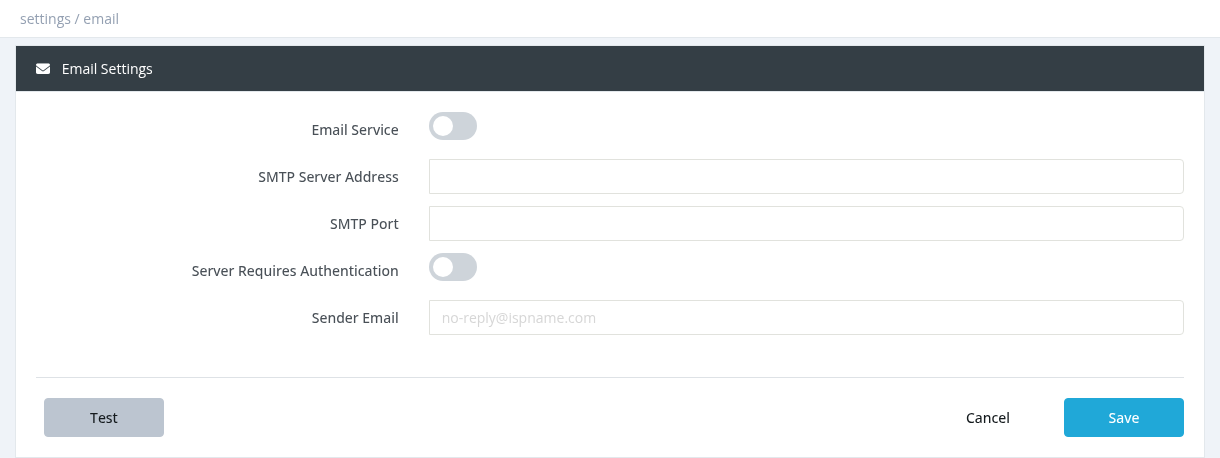
| Field | Description |
|---|---|
| Email Service | Turns email sending on. |
| SMTP Server Address | Your mail server, for example smtp.gmail.com or your provider's SMTP host. |
| SMTP Port | Usually 587 (TLS), 465 (SSL) or 25 (no encryption). |
| Server Requires Authentication | Turn on if the server needs a login (almost always). Shows the Username and Password fields. |
| Username / Password | The SMTP account. For Gmail and Microsoft 365 use an app password. |
| Security | None, TLS or SSL. Must match the port. |
| Sender Email | The "From" address of the emails sent to subscribers. |
Testing
Click Test and enter an email address. A test email ("Test from SASRadius") is queued. Success means the email was queued; check the inbox (and spam folder) to confirm delivery.
Notes
- Emails are sent by the Mail Poller service (Tools → System Services). If emails don't go out after changing the settings, restart that service.
- Choose which emails are sent in Notifications, and write their text in Email Templates.
- With several Sites, each site can have its own sender address.
Required permission: Settings - System Settings