
Notifications
Settings → notifications chooses the automatic messages sent to subscribers and the messages shown to managers. Extra fields appear when you turn a switch on.
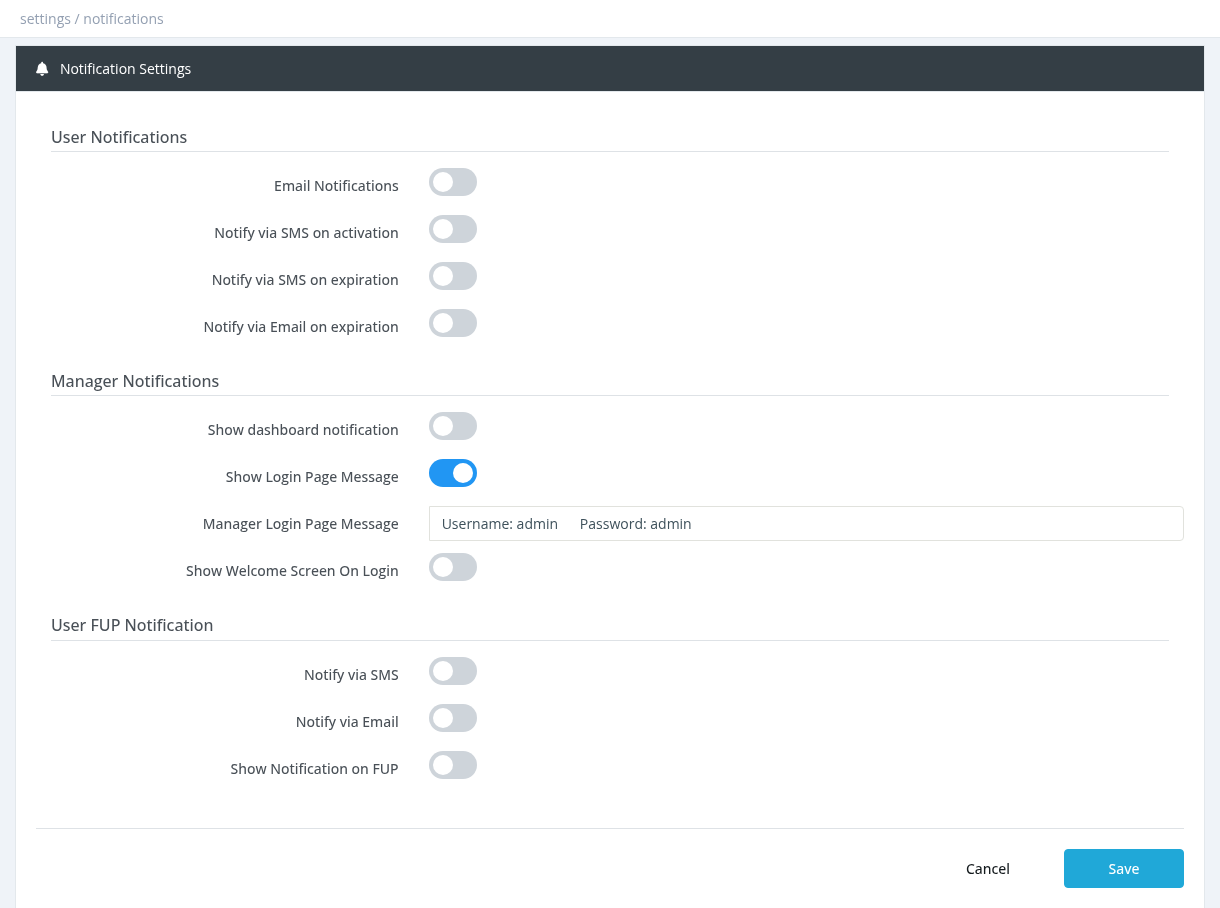
User Notifications
| Field | Description |
|---|---|
| Email Notifications | Sends emails to subscribers on activation, registration, expiration warning and termination. Choose a template for each (below). |
| User Activation Template | Email sent after the service is activated. |
| User Registration Template | Email sent when a user is created. |
| User Expiration Warning Template | Email sent before the subscription expires. |
| User Termination Template | Email sent when the subscription ends. |
| Notify via SMS on activation | Sends the Activation SMS (text set on the SMS page) after activation. |
| Notify via SMS on expiration | Sends the SMS before expiration a few days before the subscription expires. |
| Send SMS before expiration in | 1–4 days before expiration (default 3). |
| Notify via Email on expiration | Sends the expiration warning email a few days before expiration. Works even if Email Notifications is OFF, as long as a template is chosen. |
| Send email before expiration in | 1–4 days before expiration (default 3). |
Email texts are written in Email Templates. SMS need Enable SMS Service ON on the SMS page and a phone number on the user. Emails need a working Email Settings configuration and an email address on the user.
Manager Notifications
| Field | Description |
|---|---|
| Show dashboard notification | Shows a fixed banner on every manager's dashboard, for example news or a maintenance notice. |
| Dashboard notification type | Colour of the banner: Info, Green, Yellow or Red alert. |
| Dashboard Notification Text | The banner text. |
| Show Login Page Message | Shows a message on the admin panel login page. |
| Manager Login Page Message | The login page message text. |
| Show Welcome Screen On Login | Shows an announcement window to managers when they open the dashboard. Click Screen Editor to write it. See Welcome Screen. |
User FUP Notification
Sent when a subscriber reaches the fair usage limit and is moved to the reduced (FUP) profile.
| Field | Description |
|---|---|
| Notify via SMS / SMS Text | Sends an SMS with this text. |
| Notify via Email / Email Template | Sends an email with the chosen template. |
| Show Notification on FUP / text | Shows this message to the subscriber (not an SMS). The text field below the switch is also labelled "SMS Text". |
Required permission: Settings - System Settings