Extend Service
DraftExtend Service adds an extension package (extra days, traffic or uptime) on top of the user's subscription without changing the user's profile. Typical uses: a free 2-day extension, or extra GB when the quota is used up.
Extension packages are profiles of type Extension, created under Profiles.
How to extend
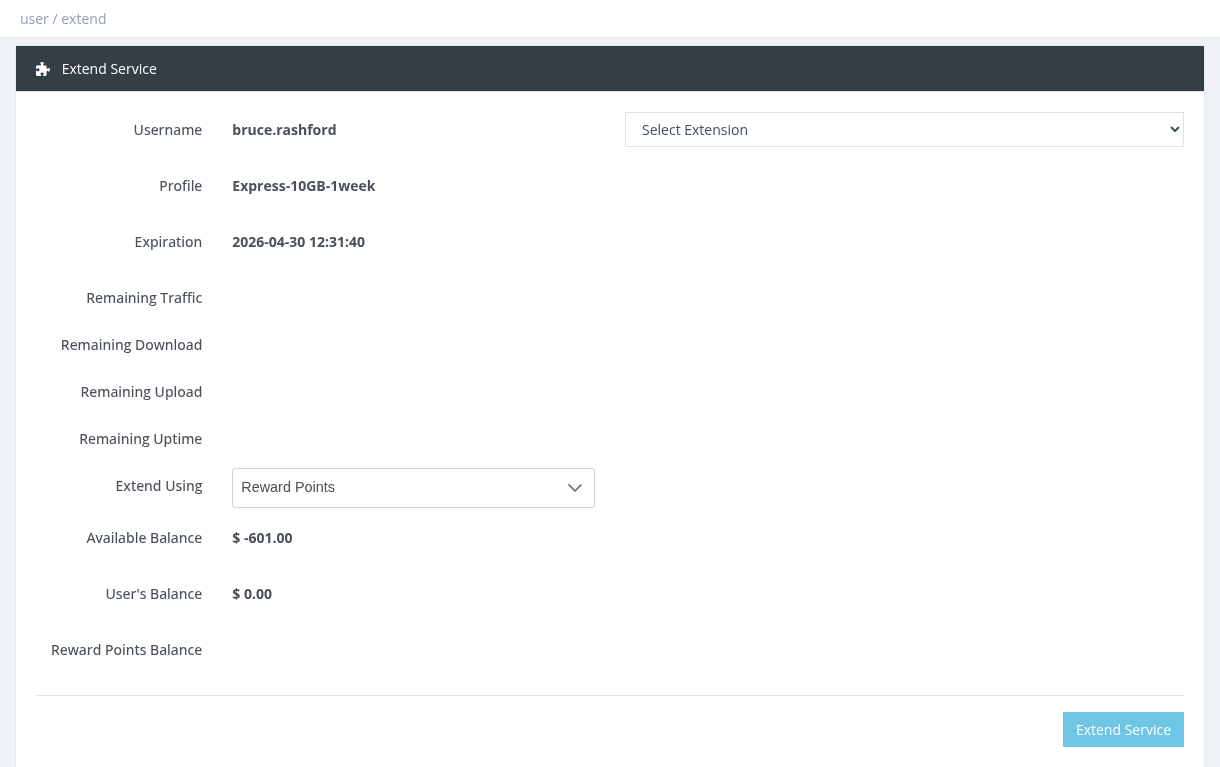
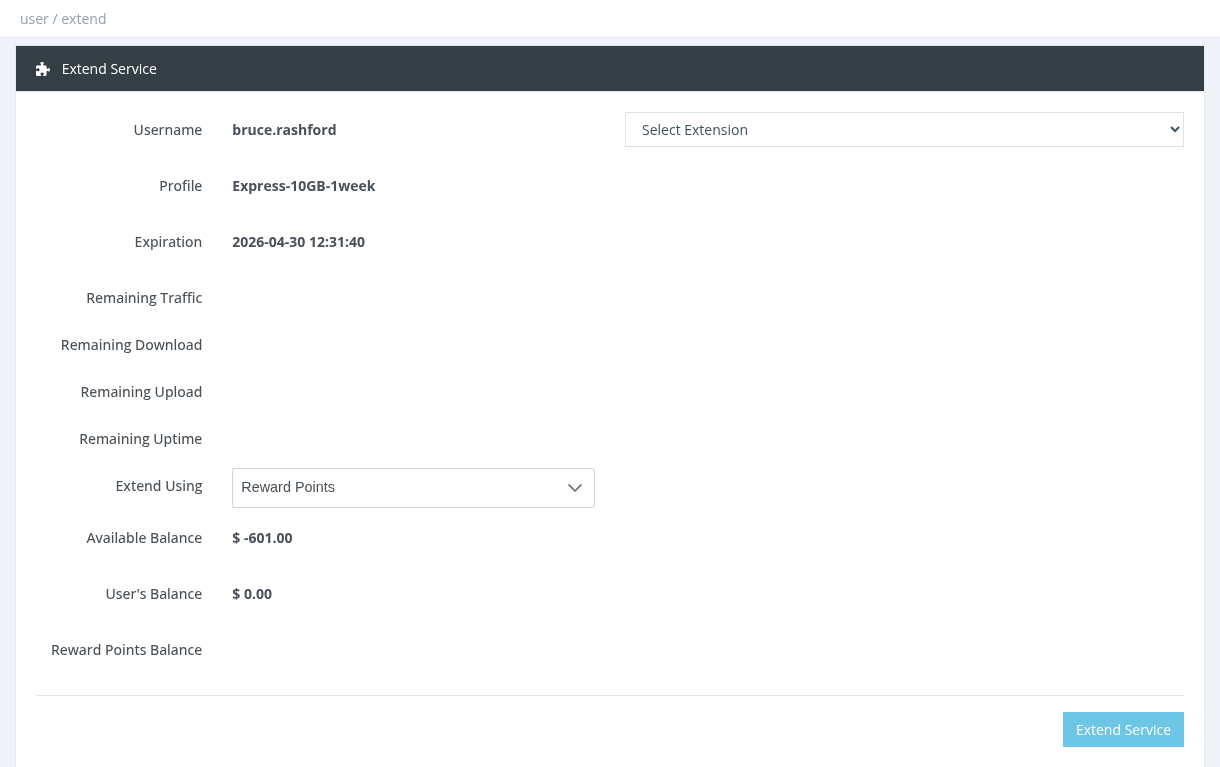
Select the user and click Actions → Extend Service.
Choose the package in
progress.Select Extension. Its description, price and what it adds (+days, +MB, +hours) are shown.
Choose the payment method in Extend Using.
Click Extend Service.
When you have more than one payment method, Extend Using defaults to Reward Points. If the extension doesn't allow reward points you get the error rsp_invalid_profile_type. Select Manager Balance instead.
Payment methods
MethodDescription
Manager BalanceYour balance is charged the extension price + VAT.
User BalanceThe user's wallet pays the extension.
Reward PointsYour reward points pay the extension. The extension must have Allow Activation Via Reward Points ON and required points greater than 0.
Which extensions are listed
Only enabled extension packages that you are allowed to sell, and that are allowed for the user's current profile (in the extension's Allowed Profiles To Extend). An extension with no allowed profiles set is available for every profile.
Free (0-price) and debitable extensions
A 0-price extension paid from Manager Balance works for managers only if the extension has Debitable Service ON. Otherwise the error is Invalid Profile Price (system administrators are not limited).
With Debitable Service ON, the extension days are recorded as Debt Days and deducted from the user's next activation.
Expiration and quota
Active user: the extension days are added to the current expiration. Expired user: they start now.
Extension traffic is added to the user's quota. If the extension has Carry Over Remaining Quota OFF, the user's remaining quota is replaced by the extension quota.
The user's profile does not change.
An extension never changes the profile. If an expired user was moved to an Expired/FUP profile, either allow the extension for that profile or change the user back to a normal profile first.
Required permission: Users - Extend Service