
Profiles List
A profile is a service package: speed, duration, traffic quota, price and the IP pool users get. Every subscriber is on one profile. Open Profiles → profiles list to manage them.
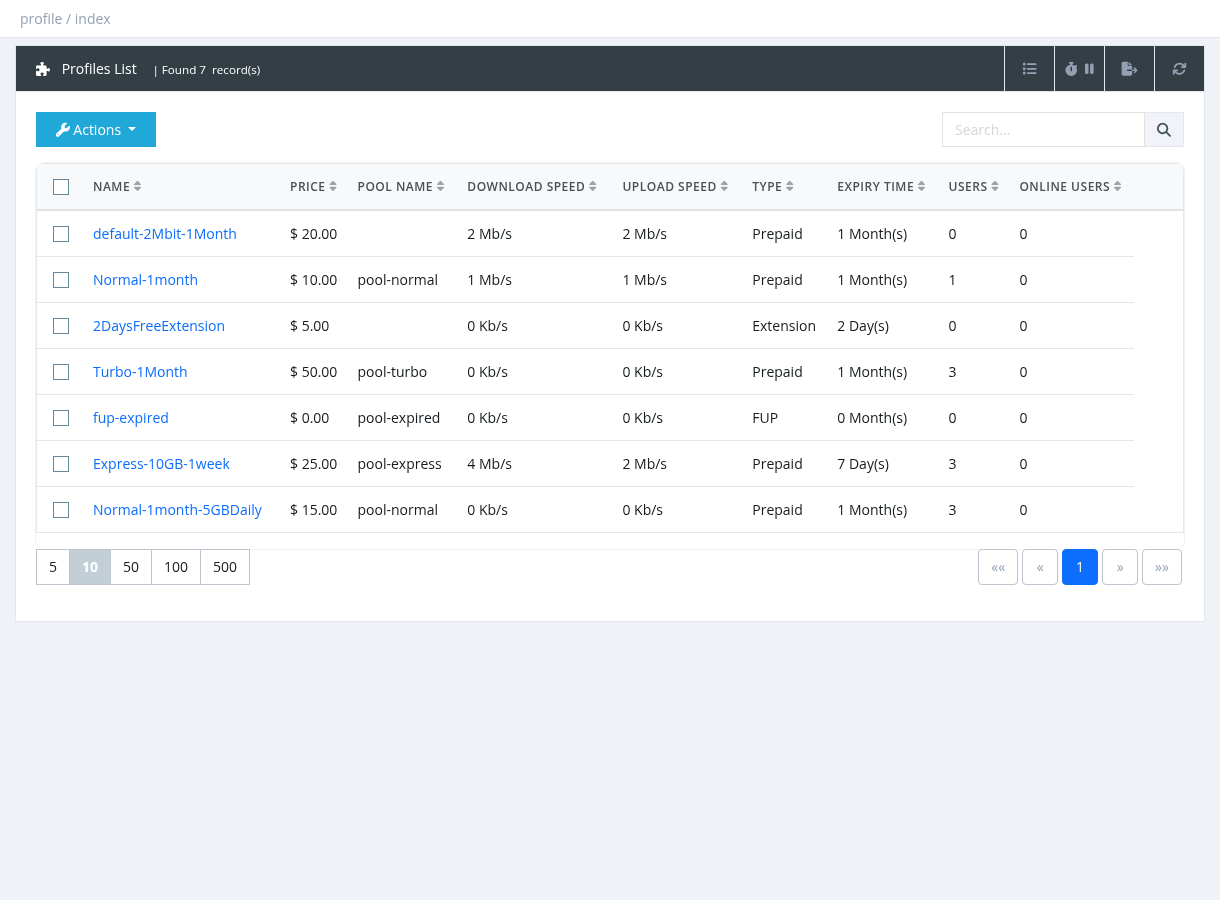
Table columns
The Search box matches the profile name. Export (system administrators) creates an Excel file in Reports → Data Export Jobs.
Managers see only the profiles they are allowed to sell: enabled Prepaid and Extension profiles of their site, with a price above 0 for them, and private profiles only if they are in the profile's allowed managers.
Actions
Deleting a profile
- A profile that still has users can't be deleted (Unable to delete profile). Move the users to another profile first.
- Its price list, allowed managers, daily policies, usage notifications and scheduled profile changes are deleted too.
- Before deleting, make sure no other profile uses it as Expired / Quota / Daily Limit Next Profile.
Links in the profile form
When you edit a profile, two links appear at the top of the form: Daily Policies (Time-Based Policies) and Custom Radius Attributes (Profile Custom RADIUS Attributes).
Required permission: Profiles - Index