Activating a User
Activate renews the user's subscription on the user's current profile for one period (or several periods) and charges for it. To activate on a different profile, change the profile first (Changing Service Profile).
Open it from Users List → Actions → Activate or the Activate button on the user's Overview.
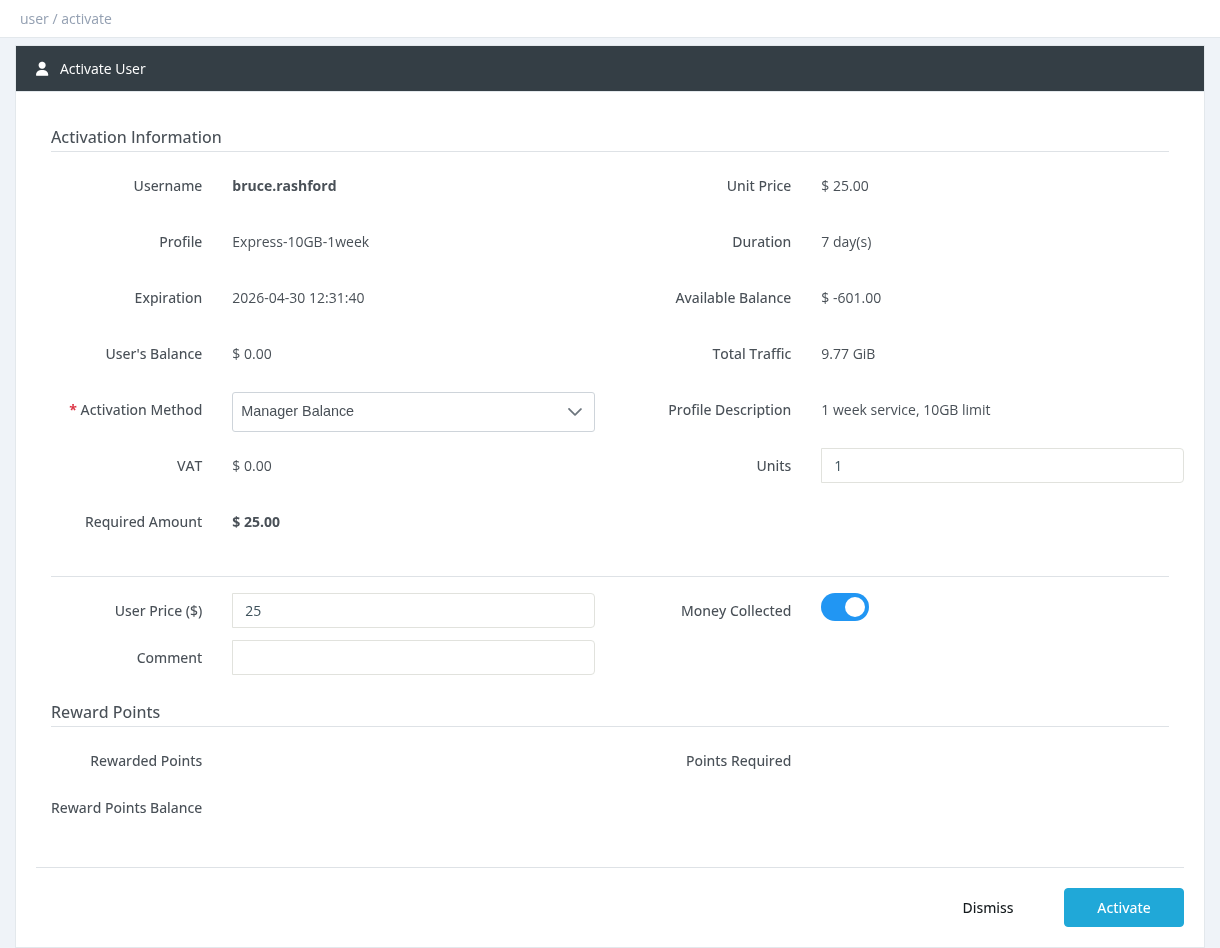
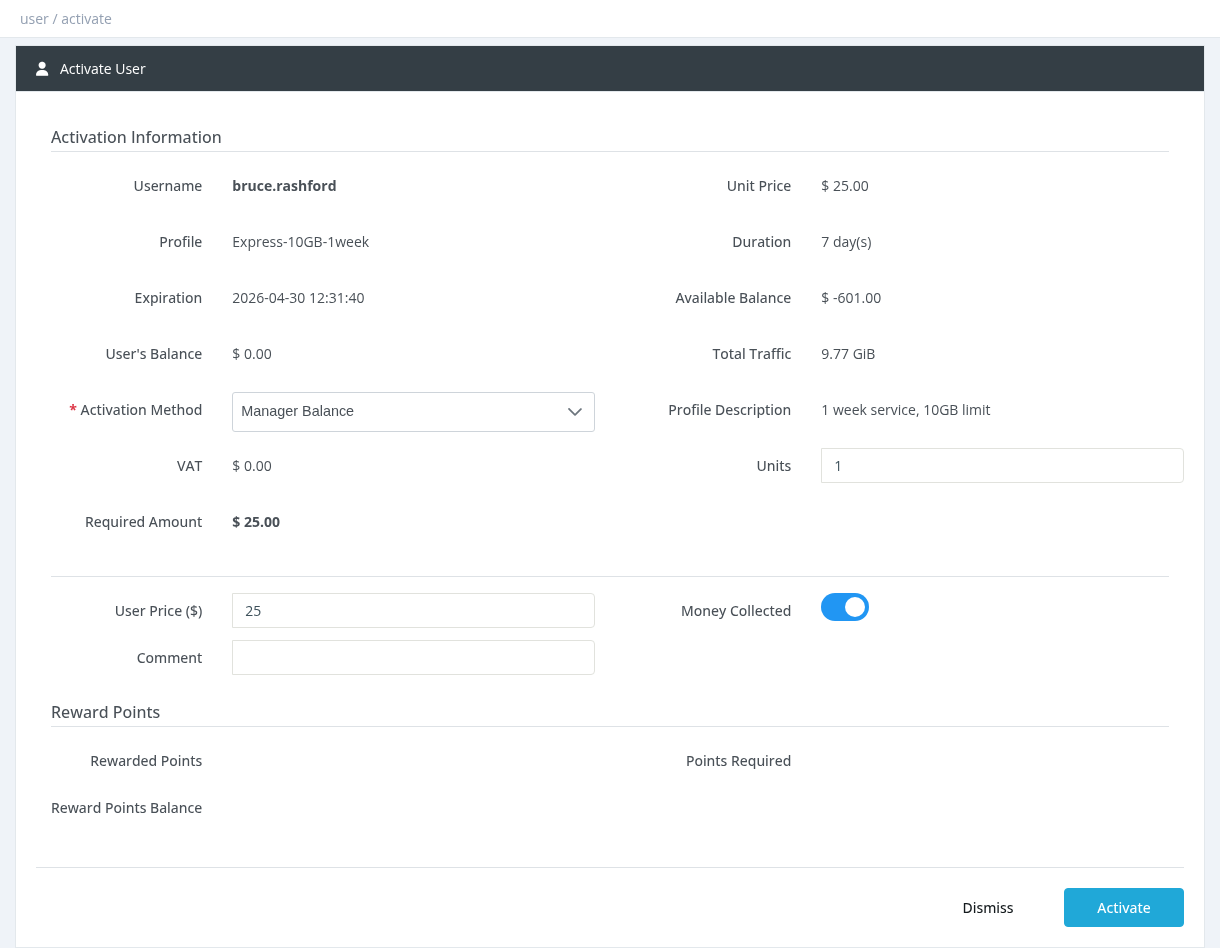
Fields
FieldDescription
Username, Profile, ExpirationThe user, the profile that will be activated, and the current expiration.
Unit PriceYour price for one period of this profile (from the price list, after your discount).
DurationLength of one period (for example 30 day(s) or 1 month(s)).
Available BalanceYour manager balance.
User's BalanceThe user's wallet balance.
Total Traffic / Download / UploadThe quota included in the profile (hidden if unlimited).
Activation MethodHow the activation is paid. See below.
VATTax amount, based on the profile's VAT setting.
UnitsNumber of periods to activate at once (Manager Balance only). For example 3 units of a 1-month profile = 3 months.
Required AmountTotal that will be charged: (Unit Price + VAT) × Units.
User PriceThe price you charge the subscriber. It is used for invoices and debts.
Money CollectedON: the subscriber has paid you. OFF: the User Price is recorded as a debt on the user (see Deposit, Withdrawal and Pay Debt).
CommentOptional note saved with the activation.
Reward PointsPoints you will receive, points required and your points balance (if reward points are used).
Activation methods
MethodWho paysPermission
Manager BalanceYour manager balance is charged the Required Amount. Parent managers receive their commission.Users - Activate using manager balance
Prepaid CardEnter a Card Number (PIN) of a recharge card. The card value must match the profile price. No manager balance is used.Users - Activate using voucher
User BalanceThe user's wallet pays you the user price; then your manager balance is charged as above.Users - Activate using user balance
Reward PointsYour reward points are used. The profile must allow activation via reward points.Users - Reward Points System
If you have the Billing permission, a Confirm Activation window lets you issue an invoice for the user. The invoice PDF is downloaded automatically.
How the new expiration is calculated
User still active: the period is added to the current expiration, so no paid days are lost.
User expired (or the profile has Resets Expiration On Activation ON): the period starts now.
If the profile has Fix Expiration Time ON, the time of day is set to the profile's expiration time.
Days owed from earlier debitable extensions are deducted from the new period.
The profile's traffic quota is added. Whether the remaining quota is kept depends on the profile's Carry Over Remaining Quota and Quota Addition Mode settings (see the Profile Form page).
After activation
If Disconnect On Activation is enabled in Settings, an online user is disconnected after a few seconds so the new profile takes effect.
An activation SMS, email, Telegram or app notification is sent if these are enabled.
The activation appears in Reports → Activations and in the user's History.
Bulk activation
Tick more than one user in the Users List and click Actions → Activate. A table shows each user's profile, expiration and required amount, the Total Price and your Available Balance. Click Activate All.
Every user is activated for 1 unit from your Manager Balance.
Users are processed one by one. At the end you see how many were activated and how many failed (for example because of insufficient balance).
Common errors
MessageCause
Insufficient BalanceYour balance (plus your debt limit) or the user's balance is lower than the required amount.
Invalid Profile PriceThe profile price is 0 for you. Only a system administrator can activate a 0-price profile.
Profile is disabledThe profile has been disabled.
Manager is disabledYour manager account is disabled.
access deniedYou don't have the permission for the selected activation method.
Required permission: Users - Activate, plus the permission for the activation method