
Notifications
Settings → notifications chooses the automatic messages sent to subscribers and the messages shown to managers. Extra fields appear when you turn a switch on.
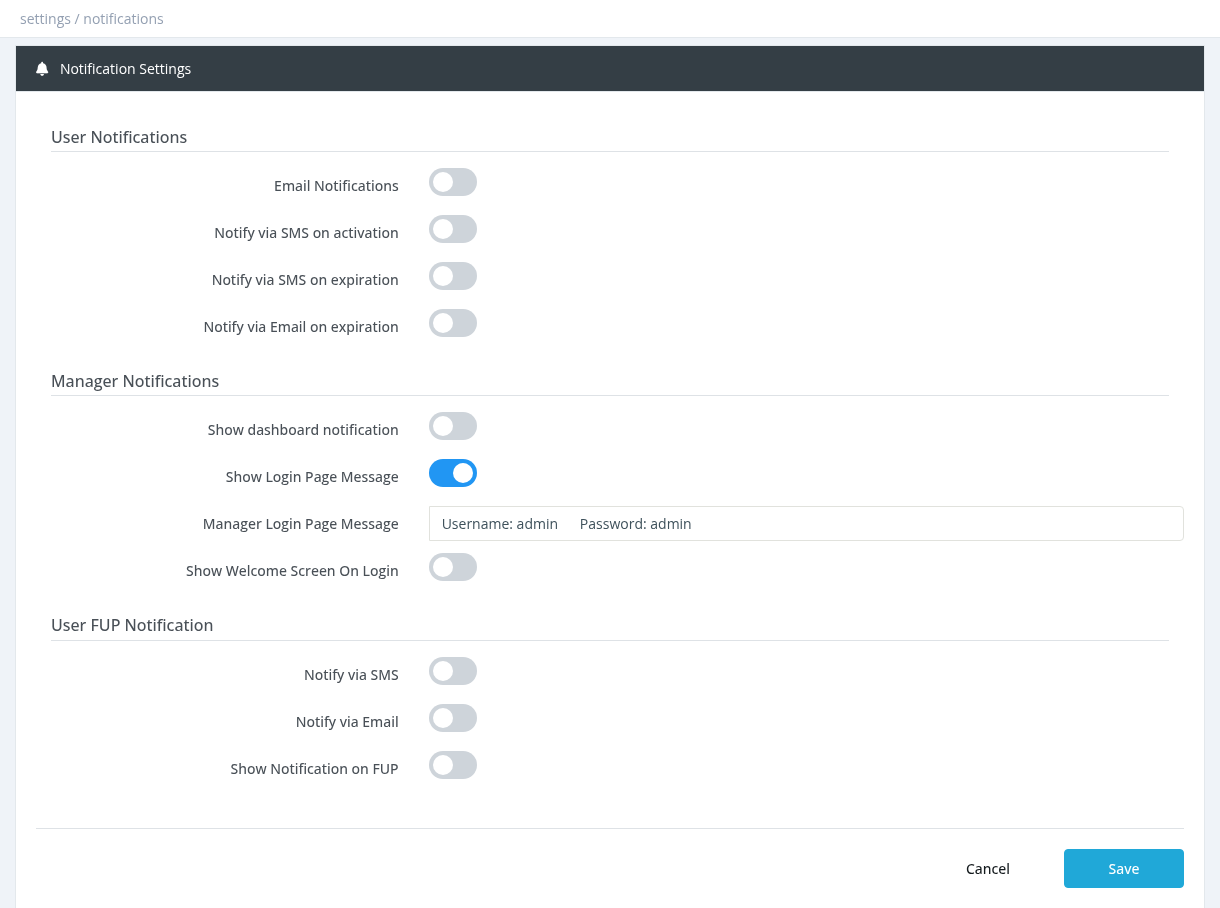
User Notifications:Notifications
emails to subscribers on activation, registration, expiration warning and termination. Choose a template for each (below).
User Activation TemplateEmailsubscription ends.
Notify via SMS on activationSendsSendthe Activation SMS to(text confirmset serviceon activation,the provideSMS immediatepage) feedback.
activation.
Notify via SMS on expirationSend SMS alerts regarding subscription/account expiration to prompt timely renewal or action, with
days before expiration (default 3).
Notify via Email on expirationSendsSimilarthe toexpiration SMS,warning email notificationsa offerfew detaileddays infobefore andexpiration. instructionsWorks foreven if Email Notifications is OFF, as long as a template is chosen.
Email texts are written in Email Templates. SMS need Enable SMS Service ON on the expirationSMS date.page and a phone number on the user. Emails need a working Email Settings configuration and an email address on the user.
Manager Notifications:
Notifications
Utilizea dashboardfixed notificationsbanner on every manager's dashboard, for userexample updates,news alerts,or anda essentialmaintenance information,notice.
Text
The banner text. Show Login Page MessageShowsPresenta messages or informationmessage on the admin panel login page.
Show Welcome Screen On LoginShows
Displayan aannouncement welcomingwindow screento managers when usersthey logopen inthe dashboard. Click Screen Editor to providewrite ait. friendlySee andWelcome informativeScreen.
User FUP Notification:
Notification
Sent when a subscriber reaches the fair usage limit and is moved to the reduced (FUP) profile.
Send customizable messages or updates to users via/ SMS forText
with this text.
Notify via EmailUse/ Email Template
Show Notification on FUP
Send/ customizabletext
Required permission: Settings - System Settings