
User Invoices
Billing → User Invoices lists the invoices of the subscribers you manage (your users and your sub-managers' users).
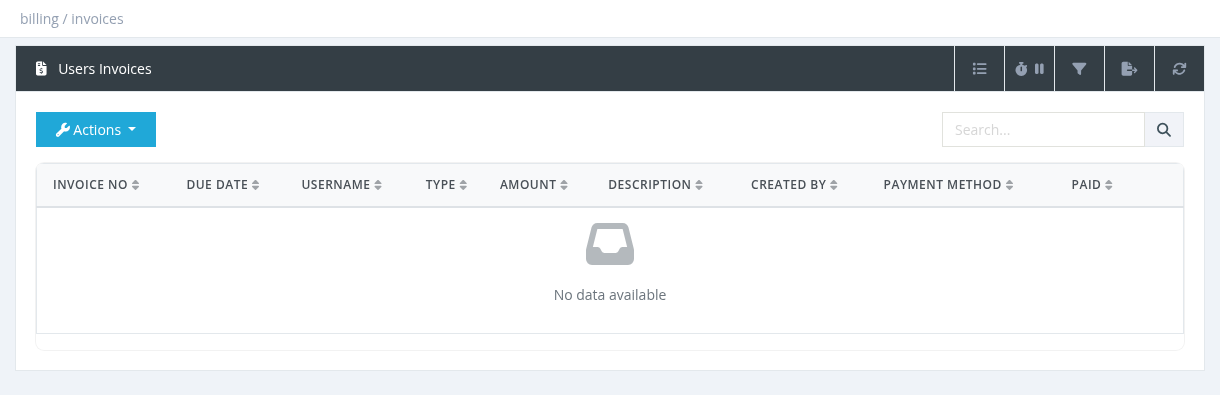
Columns
Invoice No (click to open), Due Date, Username, Type, Amount, Description, Created By, Payment Method, Paid (check mark), and Date (hidden by default).
- The Search box finds an invoice by its number.
- The Advanced Filter filters by Invoice Status (All / Paid / Unpaid) and Username.
- Export saves up to 1,000 invoices to Excel.
Actions
| Action | What it does |
|---|---|
| Pay Invoice | Marks the invoice as paid (for example after the subscriber paid you in cash). It only changes the invoice status; balances and debts are not changed. |
| Un-Pay Invoice | Marks a paid invoice as unpaid and adds the amount as a debt on the user (shown in the Debts column of the Users List). Use Pay Debt on the user when the money is received. |
| Download | Downloads the invoice as PDF. |
| Invoice Designer | Opens the Invoice Designer (system administrators). |
- Only the manager who created an invoice, or a system administrator, can pay, un-pay or edit it. Automatic postpaid invoices can be handled by system administrators.
- Invoices can't be deleted. To correct a manual invoice, open it and edit the lines.
A user's invoices are also shown on the user details page, in the Invoices tab.
Required permission: Billing and Users - Show Users Invoices